macOS · Linux
Python 3.12+
~ $ polymarket-tui
Polymarket in your terminal_
Browse every market, watch order books tick live, chart price history, track your P&L, and place orders — all keyboard, no browser.
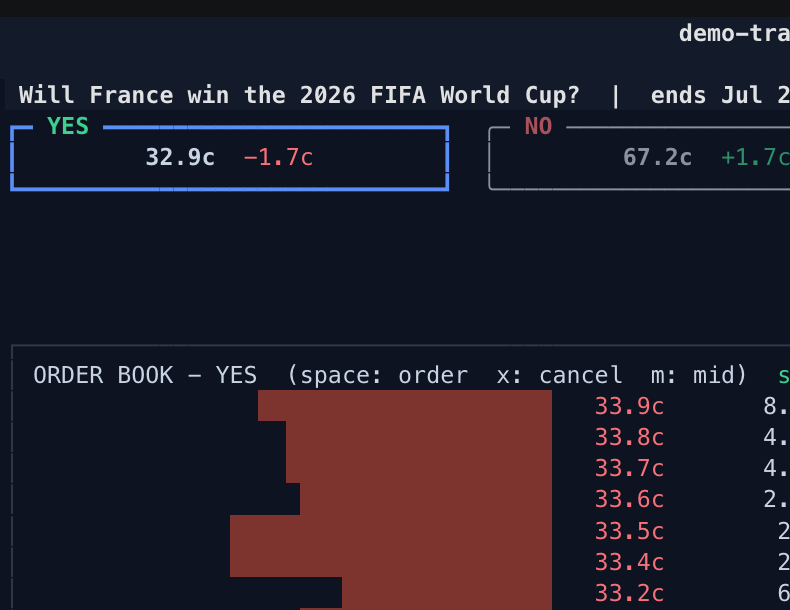
Open the top market → cursor the live book → place a buy (dry-run: signed, never posted) → flip to the NO book → chart → the trade tape and a top trader → search. Real exchange, real data. Install it.
The whole exchange, rendered in text
The full surface of Polymarket as a dense, fast, keyboard-native interface. No mouse required.
01Browse every market
Trending, Politics, Sports, Crypto and more, sorted by volume or liquidity. / searches markets and traders.
02Live order books
YES/NO books and the trade tape stream straight from the CLOB. Cursor a level; space starts an order right there.
03Price charts
Full price history inline for any market or outcome. Arrow across the chart to inspect any point in time.
04Portfolio & P&L
Positions, cash, and profit history for your wallet — or any public trader's book, read-only.
05Order entry
Limit and market orders under the live book, priced in cents. Decimal-exact, validated, audited to a local log.
06Dry-run by default
Every session starts DRY: orders are built and signed, never posted. Going LIVE is an explicit, confirmed opt-in.
A small core of keys, one meaning each
Arrows move and drill everywhere; space is always the contextual toggle. Press ? in the app for the full reference.
Nothing to sign up for
Browsing needs no account at all. Add credentials only to see your own portfolio or to trade — and trading stays dry-run until you say otherwise. Account setup ↗
noneBrowse
Markets, books, charts, trades, and any trader's public positions — read-only, no credentials.
addressObserve
Add your funder address to follow your own positions, cash, and profit history.
keyTrade
Add a private key to place orders. Every session is DRY until you explicitly go LIVE.
Four ways to install
Python 3.12+. On PyPI and Homebrew; the curl script installs uv for you if it is missing.
uv tool install polymarket-tui
brew install byronxlg/tap/polymarket-tui
curl -sSL https://raw.githubusercontent.com/byronxlg/polymarket-tui/main/install.sh | bash
git clone https://github.com/byronxlg/polymarket-tui
cd polymarket-tui && uv sync && uv run polymarket-tui
Disclaimer Unofficial client, not affiliated with Polymarket. It can place real orders with real money when LIVE mode is explicitly enabled; you are responsible for your trades. No warranty. Deposits, withdrawals, and redemptions are on-chain operations this client does not perform — use the website.
Data from public Polymarket APIs: gamma-api.polymarket.com,
clob.polymarket.com, data-api.polymarket.com, user-pnl-api.polymarket.com.